
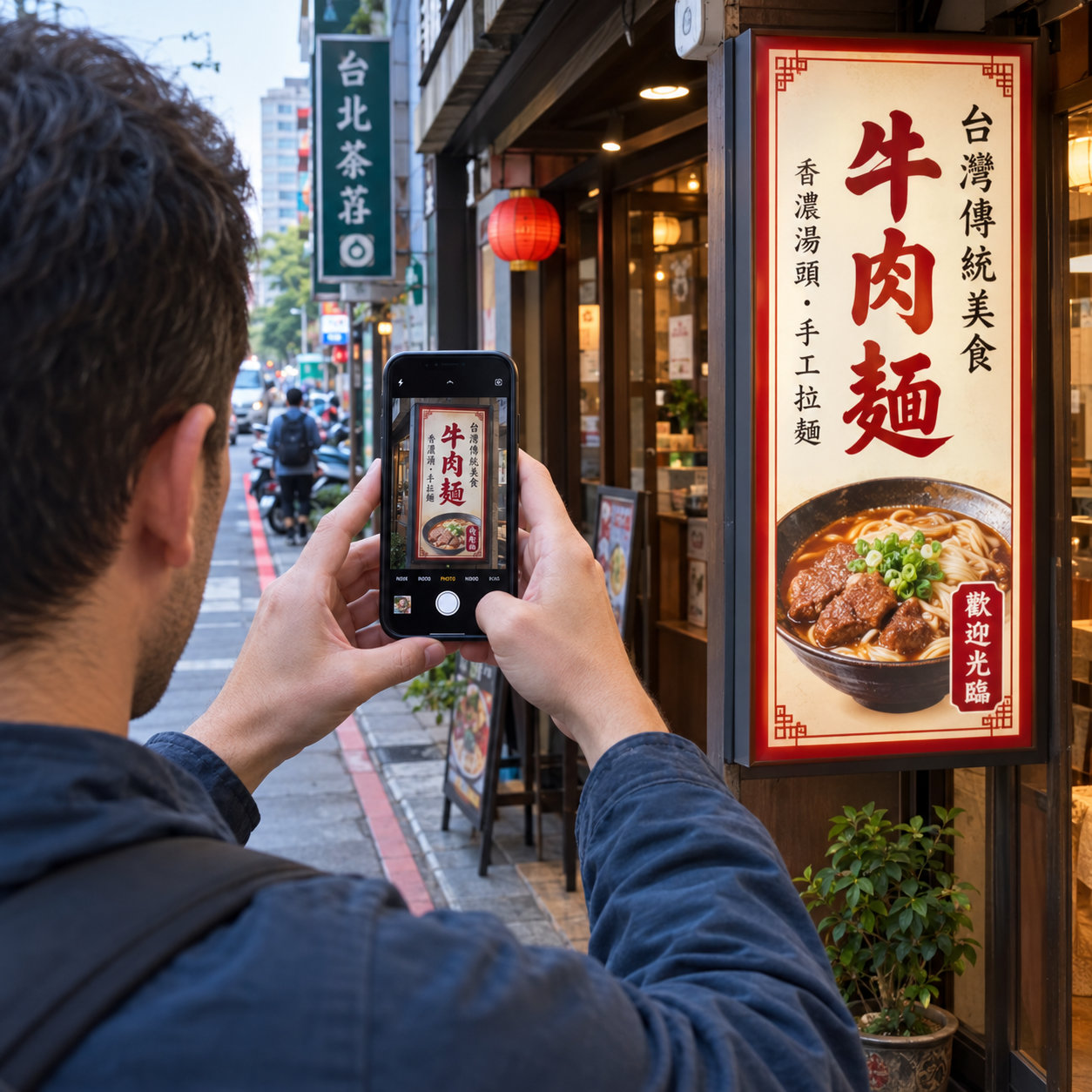
Step 1: Take a picture
(Or choose an image from your photo library.)
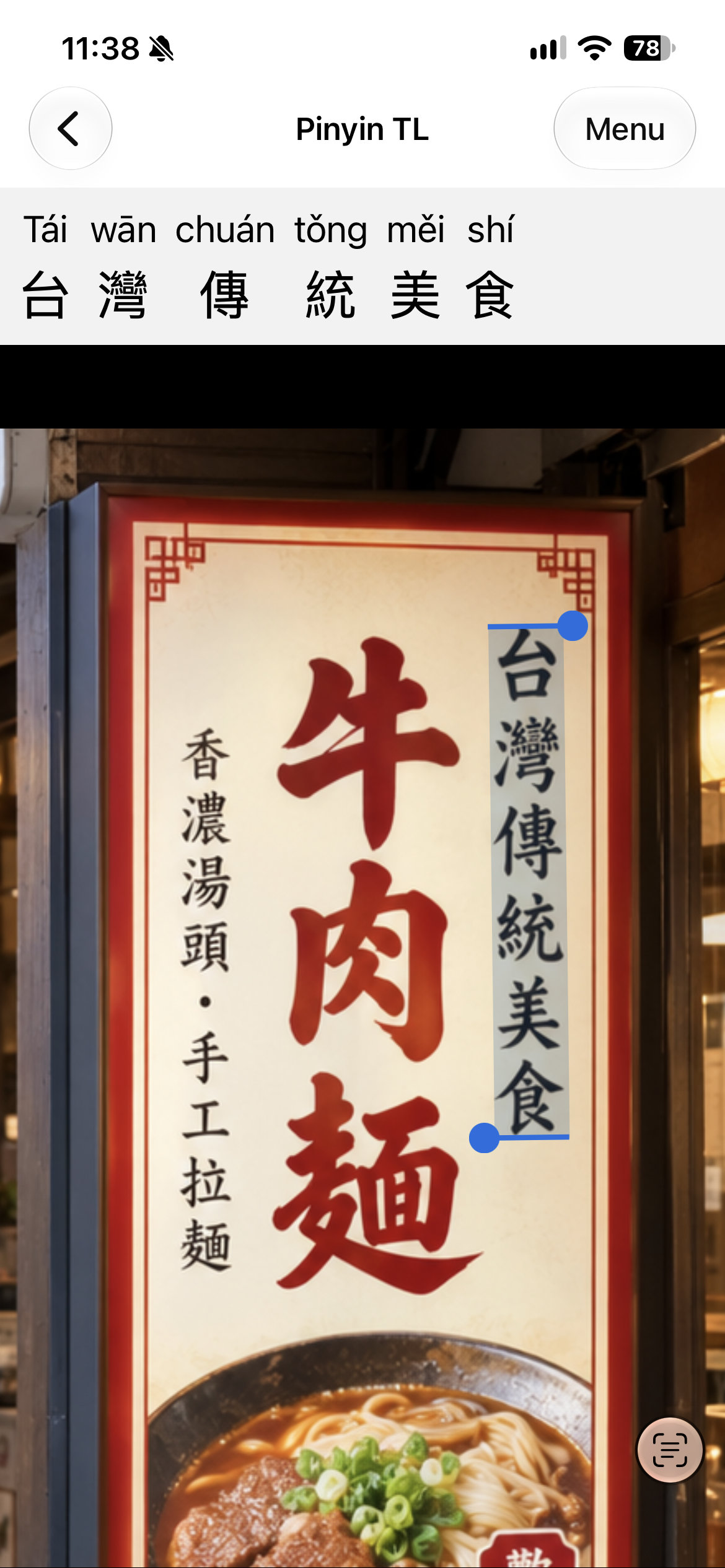
Step 2: See Pinyin
Pinyin is displayed at the top of the screen when you select Chinese text.
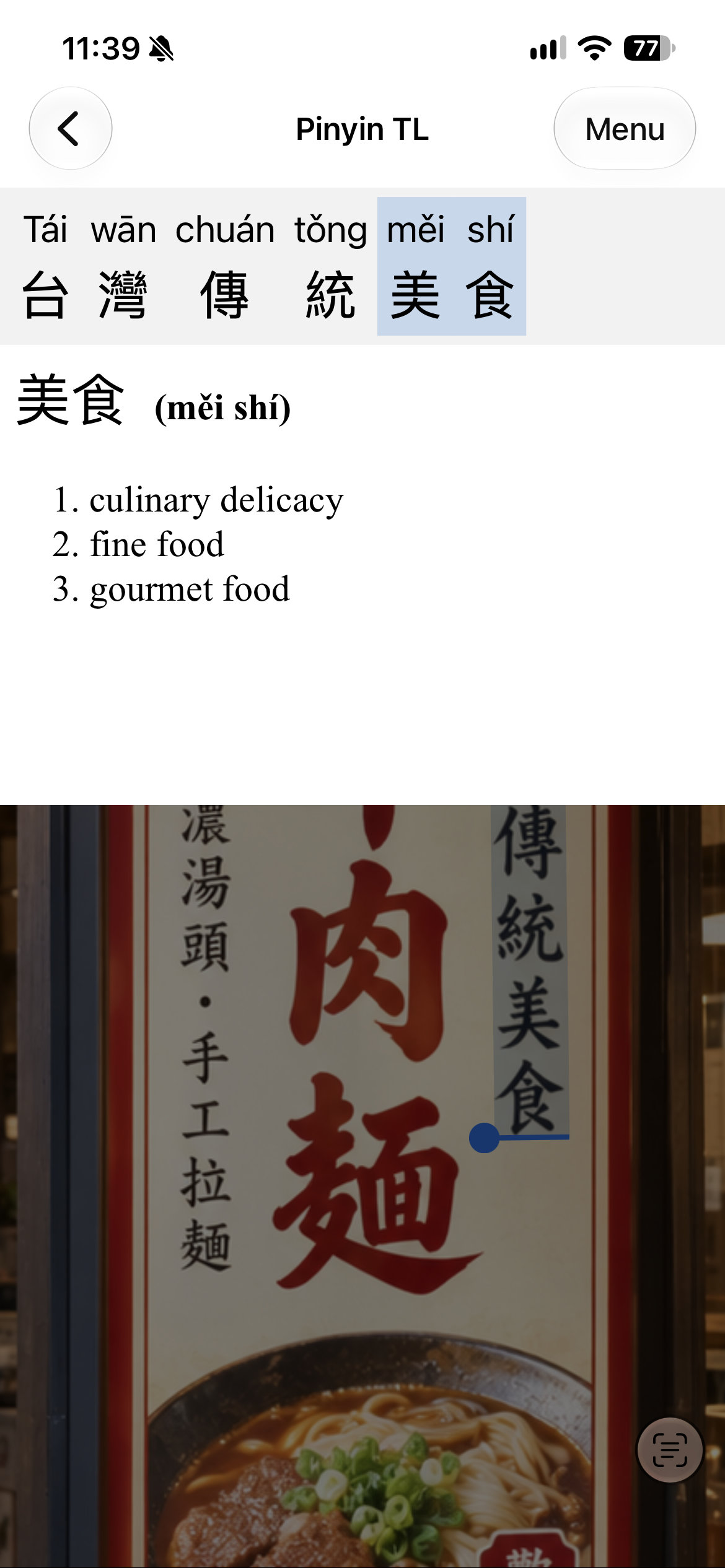
Bonus: Tap on a word!
... to see its English translation. 🤩
Features
- No in-app purchases or subscription fees!
- Select text using Apple's "Live Text" UI.
- High-accuracy text recognition: Simplified and traditional characters, horizontal and vertical alignment, stylized text, handwritten text.
- High-accuracy Pinyin: Correctly resolves most polyphonic characters.
- High-accuracy word recognition: Uses CC-CEDICT to identify words.
- On-device processing: Works offline, 100% private.
Use Pinyin TL to read:
- Signs, posters, flyers
- Restaurant menus
- Books, textbooks
- Subtitles
- Web pages, text messages
- ... anything else that has Chinese text!